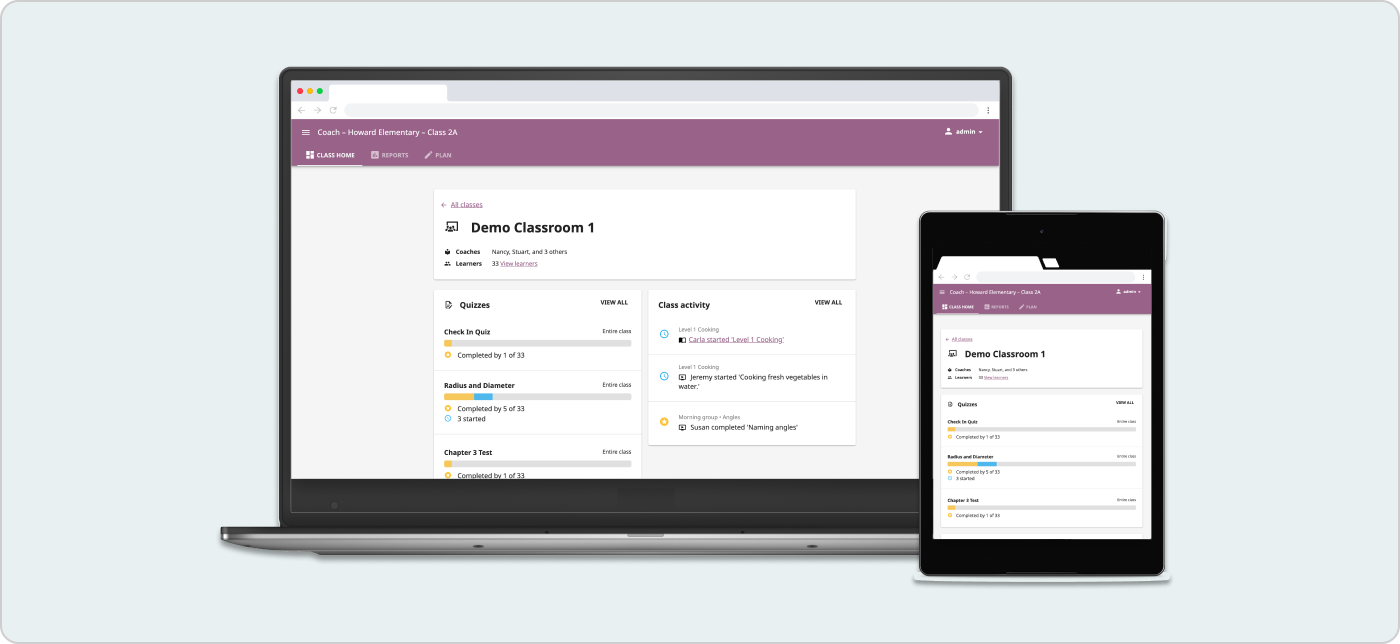
Kolibri is an offline-first learning platform used by over 7 million learners across 220+ countries and territories. It is designed to work in schools and communities with limited resources, infrastructure, and internet access. Though Kolibri offers over 200,000 educational resources, teachers consistently requested additional tools to adapt them to their curriculum, language, culture, and classroom context.
Create a design and technical strategy in an ambiguous problem space to enable content creation and sharing across a distributed, offline-first product ecosystem.
I led cross-functional design strategy work that transformed years of fragmented feedback into a 4-year product roadmap. This work resulted in the launch of 4 foundational features, 2 of which I designed directly while providing the strategic framework that guided the other 2.
I took stock of our feedback and research repository, which contained hundreds of related feedback snippets from 5 years of interviews, observations, and feedback from over 33 partner organizations.
The insights from this process revealed ways that teachers wanted to expand their use of Kolibri’s content library. The ability to create new resources and also remix existing resources would support culturally relevant teaching and learning approaches. It would also enable communities to grow by sharing resources and practices, and help teachers and students feel more empowered and connected.
Learning Equality’s mission is centered on equitable access to education. In offline, low-resource contexts where updates may take years (or never arrive after initial installation), the social cost of building the wrong thing is significantly higher. With the initial findings, I shaped the initial problem statements in collaboration with the Product Lead.
To keep equity at the forefront in this foundation-setting step, I facilitated an activity from “The Problem with Problems” by Dr. Christine Marie Ortiz Guzman from Equity Meets Design. I gathered 15 cross-functional stakeholders, and we used the rubric to critique and revise these statements in subgroups.
There are not enough learning materials available in mother tongue languages and dialects of learners of color, indigenous backgrounds, and those living in low-resource contexts. The creation, distribution, and use of instructional materials in colonial languages is preferred and prioritized by those in positions of power, and this perpetuates and is perpetuated by the dearth of materials.
Educators in low resource contexts have limited time and support structures to make digital resources more relevant, differentiated, and to better address their learning objectives. Most digital resources and tools to edit them are designed without consideration of these contexts.
Educators in low-resource contexts have the expertise to create relevant content for their students but are faced with technical, resource, and regulation barriers to creation and distribution.
Address the systems that cause marginalization, not individual limitations
That perspective shift from the critique was important because it led us to prioritize solutions that support autonomy to create and adapt learning materials, in contrast to solutions that were prescriptive and “ready-to-use”.
I needed to fill in a knowledge gap around the first problem: needs around teaching mother-tongue languages with digital tools. These languages are often taught through oral stories and sometimes have no written language.
I created research materials for 2 follow up studies and coordinated with our Global Community Lead to conduct them:
The questions focused on understanding: (1) the current use of digital learning materials in mother tongue languages, and (2) the technical barriers teachers face when trying to customize or share digital resources
We compensated 5 organizational partner representatives to create a sample lesson plan, assuming that they can add or change files on and Kolibri does anything they’d need it to do.
This study clarified what dimensions of resource customization could enable teachers to make learning materials relevant to students and integrate them into everyday instruction.
Internationalized multimedia editing
Teachers noted the importance for them to switch between video, audio, and written materials to support the transition between mother tongue languages used at home vs the ones used at school.
Direct offline “upload” and remixing
Being able to add custom resources was key for teachers to make learning personalized, engaging, and culturally relevant, at the moment it’s needed. This would bypass the need to wait for administrators to physically bring in new content updates to their devices.
Conceptual “bridges” between lessons
Teachers do not teach concepts in isolation - everything builds on the other. Our lesson planning activity showed different ways that teachers needed to bridge sequential concepts and lessons.
I facilitated a “How Might We” brainstorming session with 10 stakeholders. This generated a wide range of solution ideas, and we needed to prioritize which ideas were impactful, mission-aligned, and feasible.
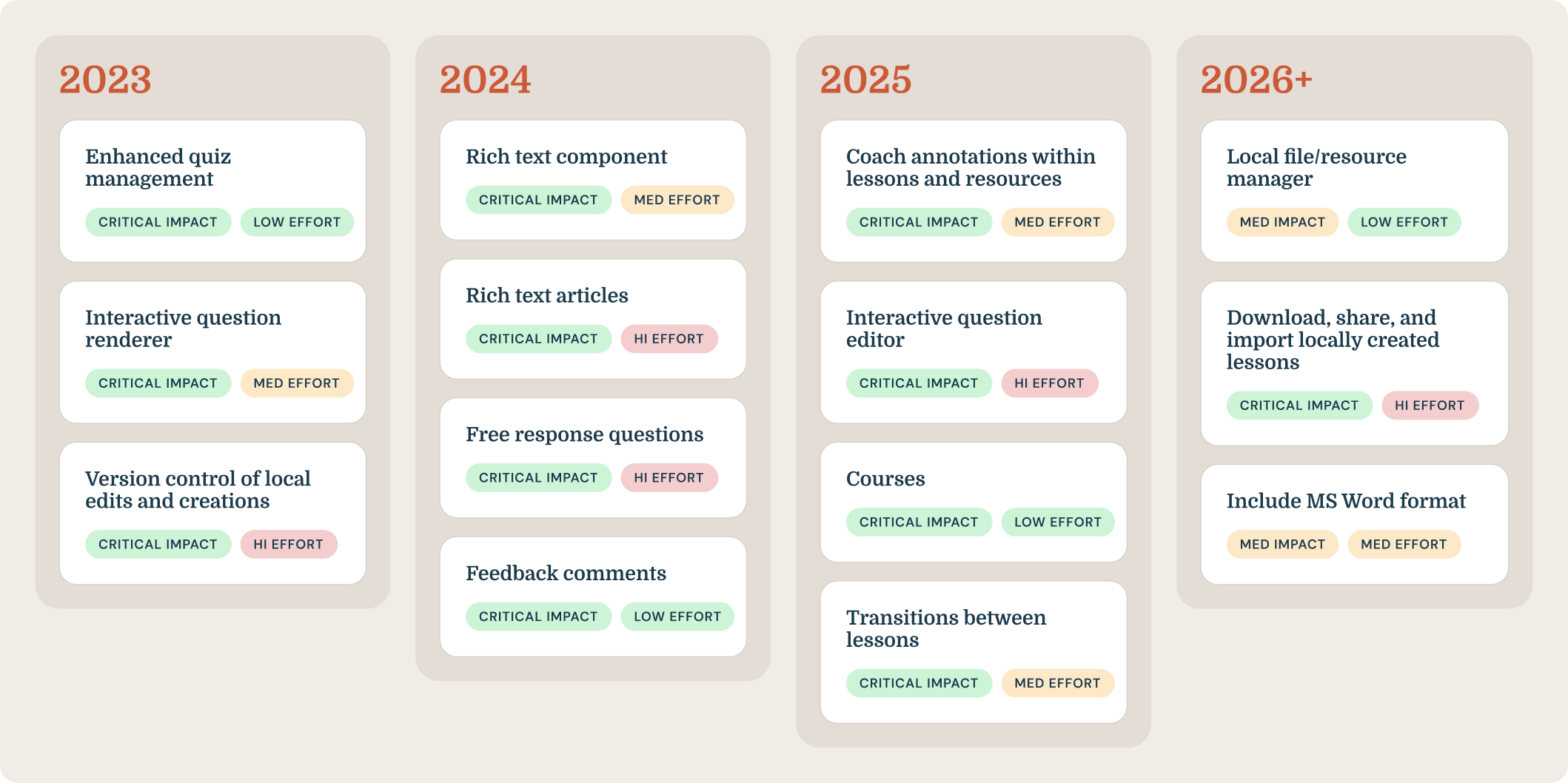
In a follow up working session, we co-defined impact-effort heuristics, which allowed us to systematically evaluate each idea.
Importantly, it also helped us decide what not to build. For example, we considered transcript translation tools and community building, but determined that we lacked the resources, expertise, and user base to support this kind of process effectively. Instead, we prioritized features that would empower teachers and students to localize materials for meaningful everyday use.
The results of that prioritization session were the foundational input that our product managers used to define the sequence of features and build out a 4-year roadmap for enabling offline content creation across the Kolibri product system.
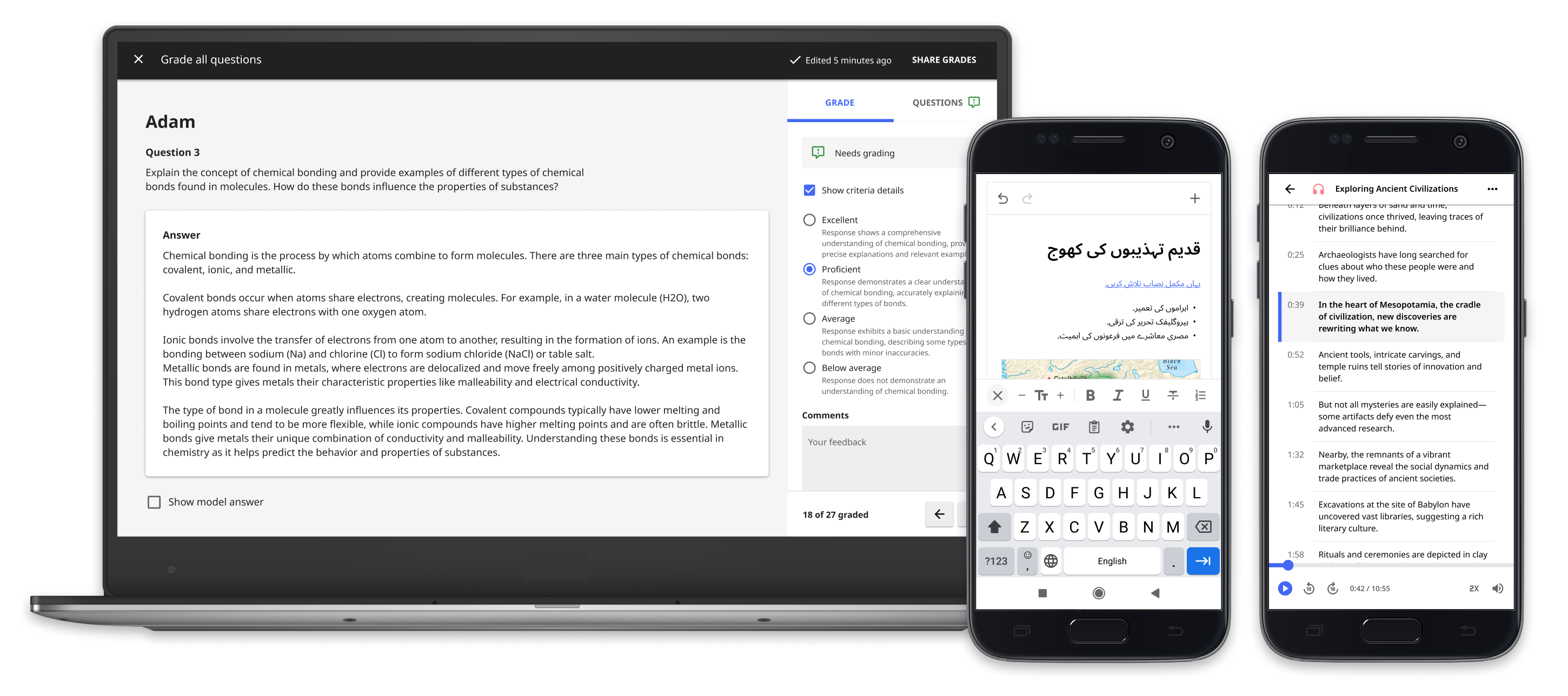
The rich text editor is a reusable component to format text, images, and other media. It is a foundational building block for many other features in this roadmap.
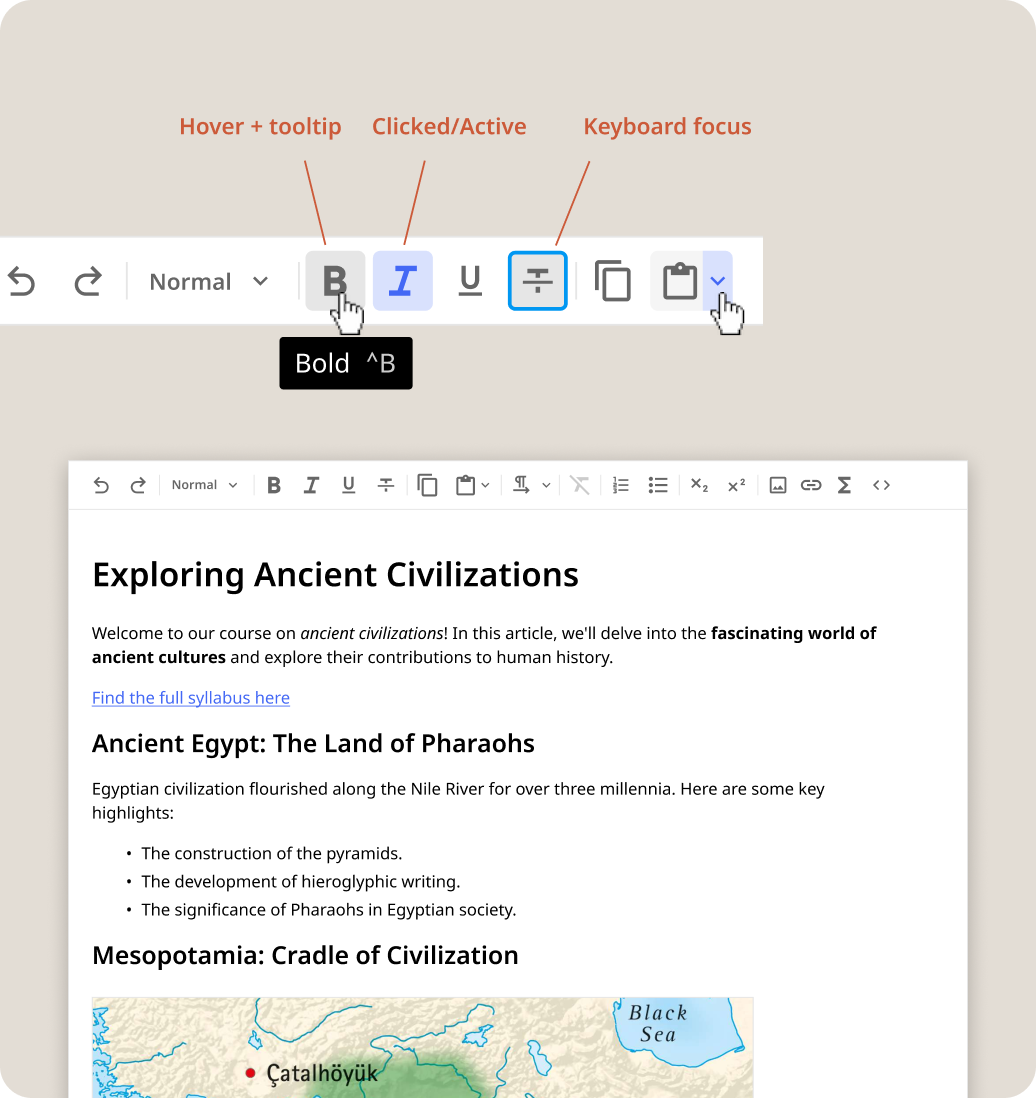
Flexible creation: embedded text, images, media, and formula editing, math & science symbols
Designed for integration with our existing Design System
Keyboard shortcuts and markdown support
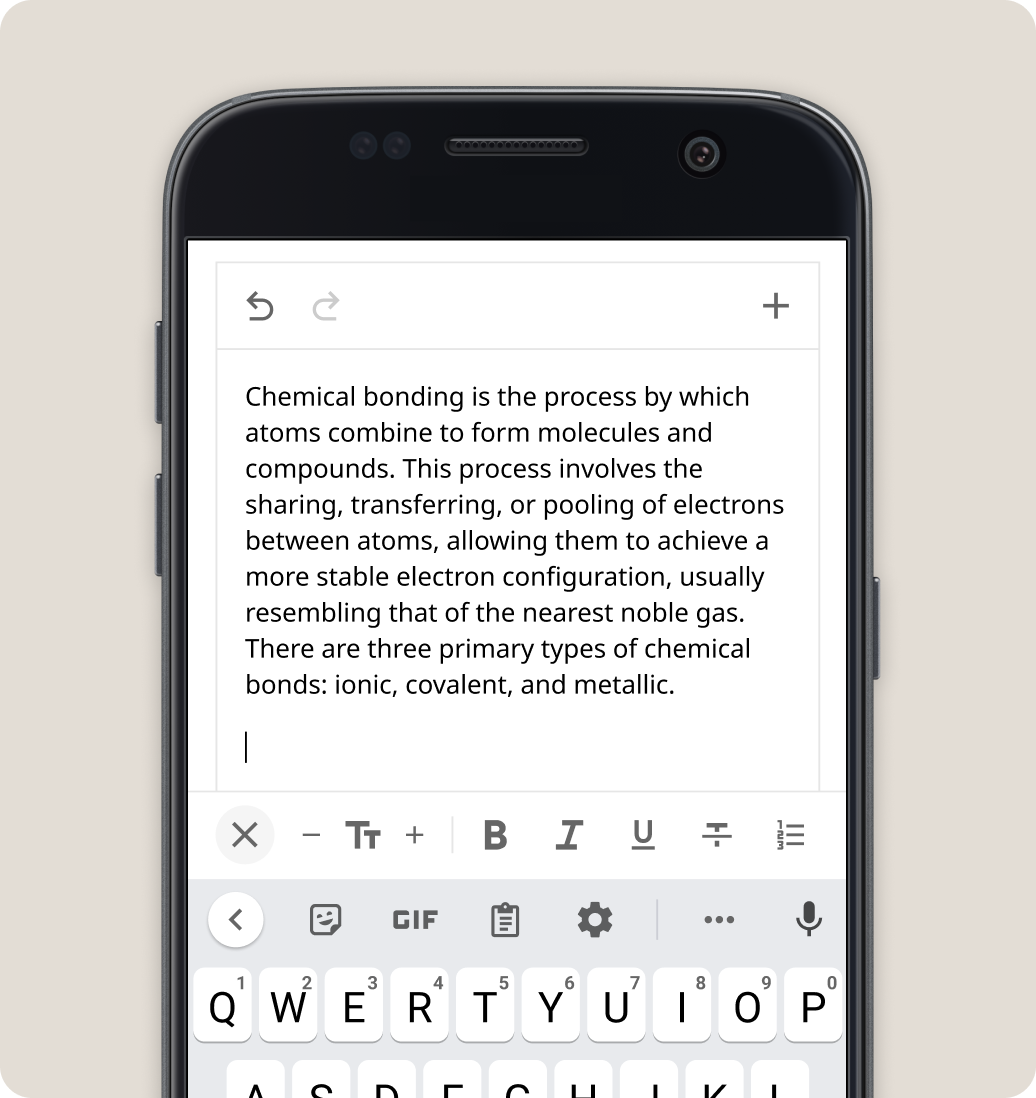
Validated through UserTesting with educators, this mobile-first editing pattern supports learners and teachers using touchscreen devices, a common choice in Kolibri’s audience.
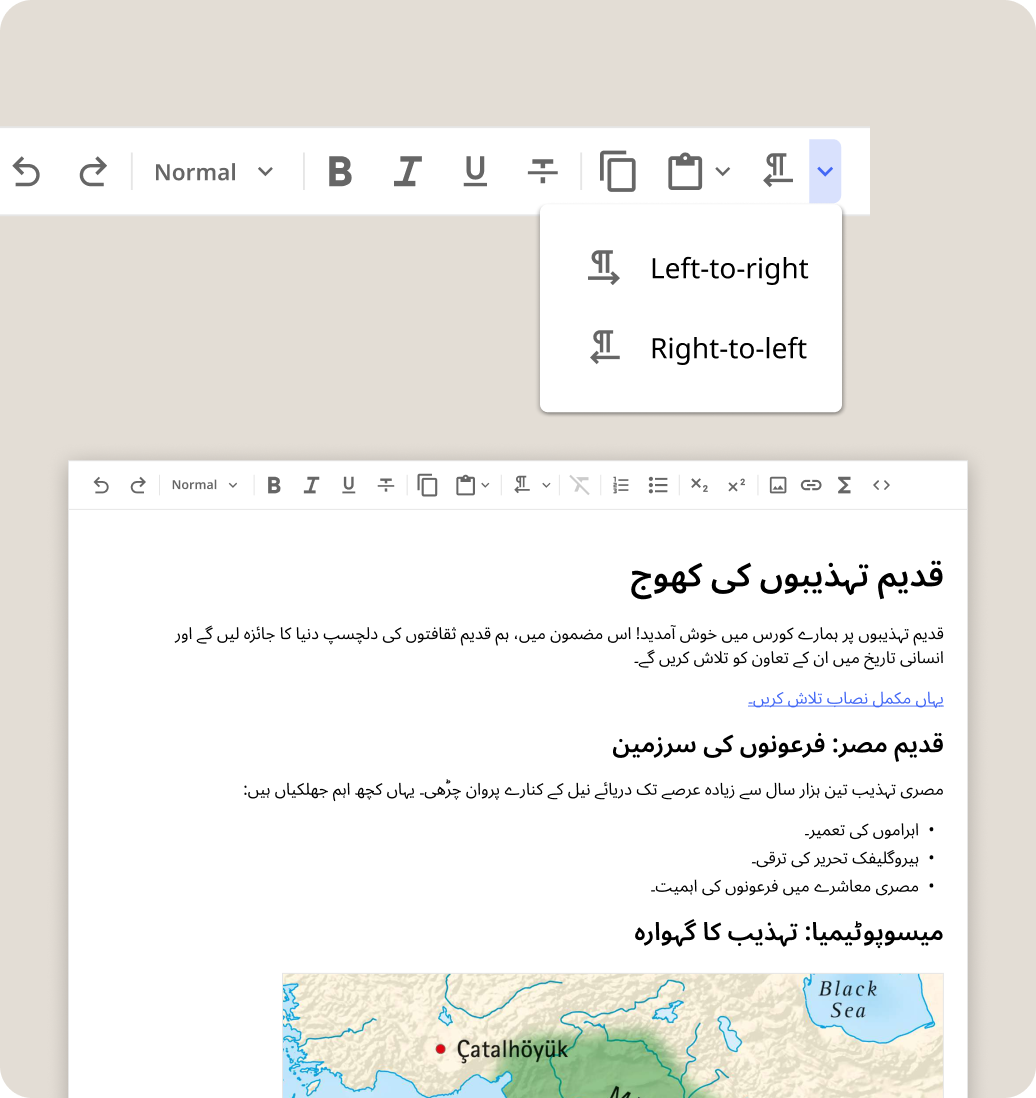
Right-to-Left (RTL) language support and internationalization standards to ensure the editor is inclusive of non-Western languages.
I designed a standardized and unified viewing experience for media, whether users would engage with a standalone video or a complex multimedia article. On any screen size, and whether it’s user-generated or third-party provided, the viewing experience remains consistent and accessible even on low-end devices.
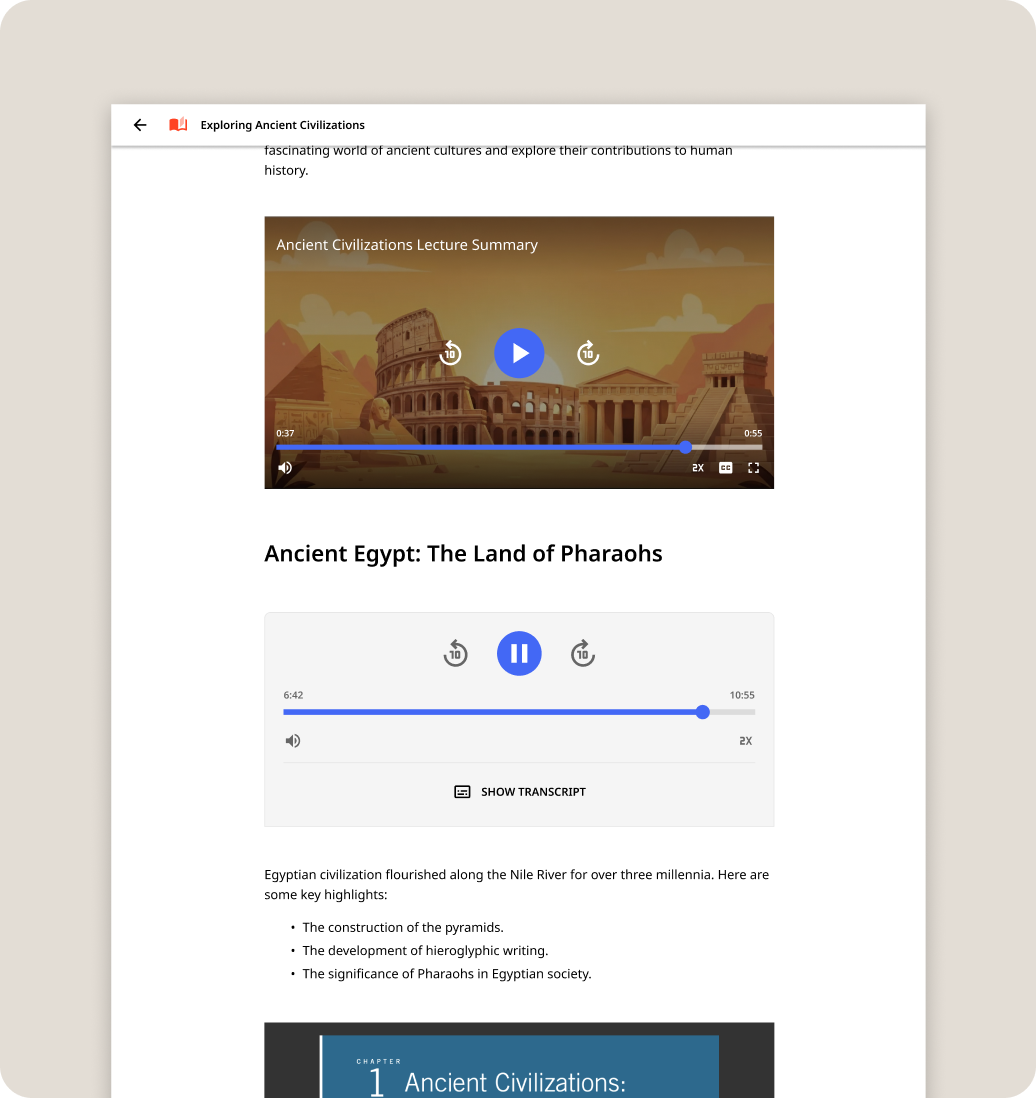
Multimedia display for content: rich formatted text, video, audio, PDF/EPUB, and HTML5 elements
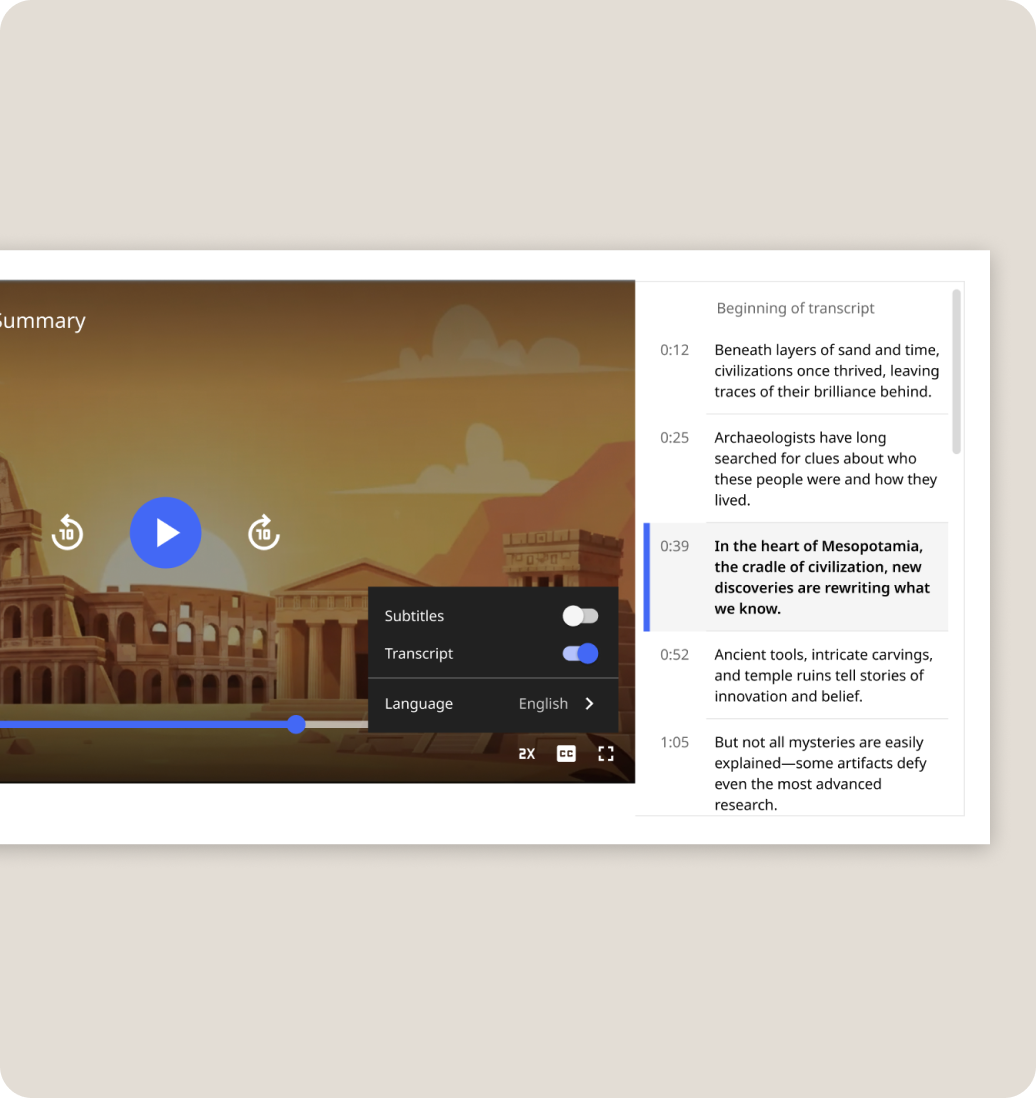
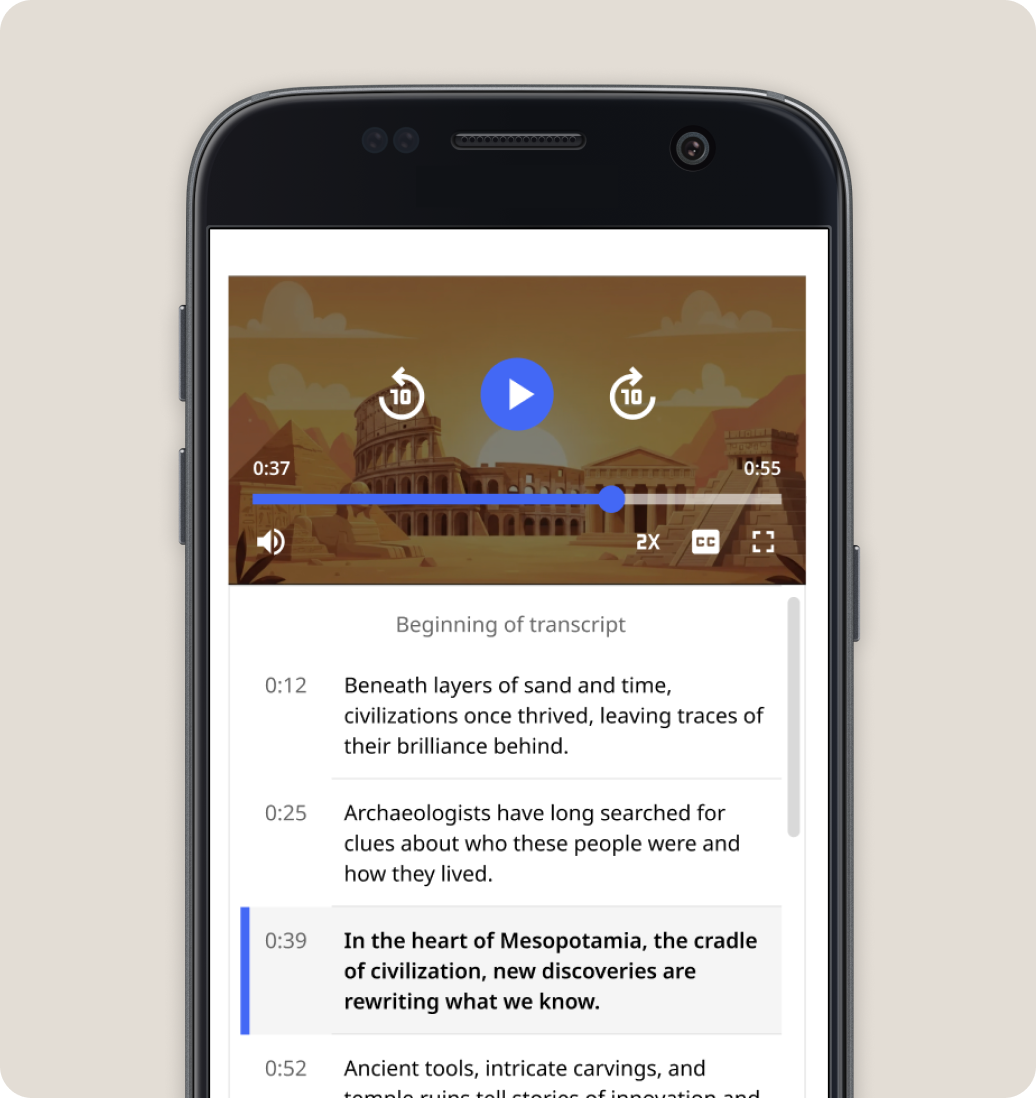
Video: transcript and language selection across different screen sizes
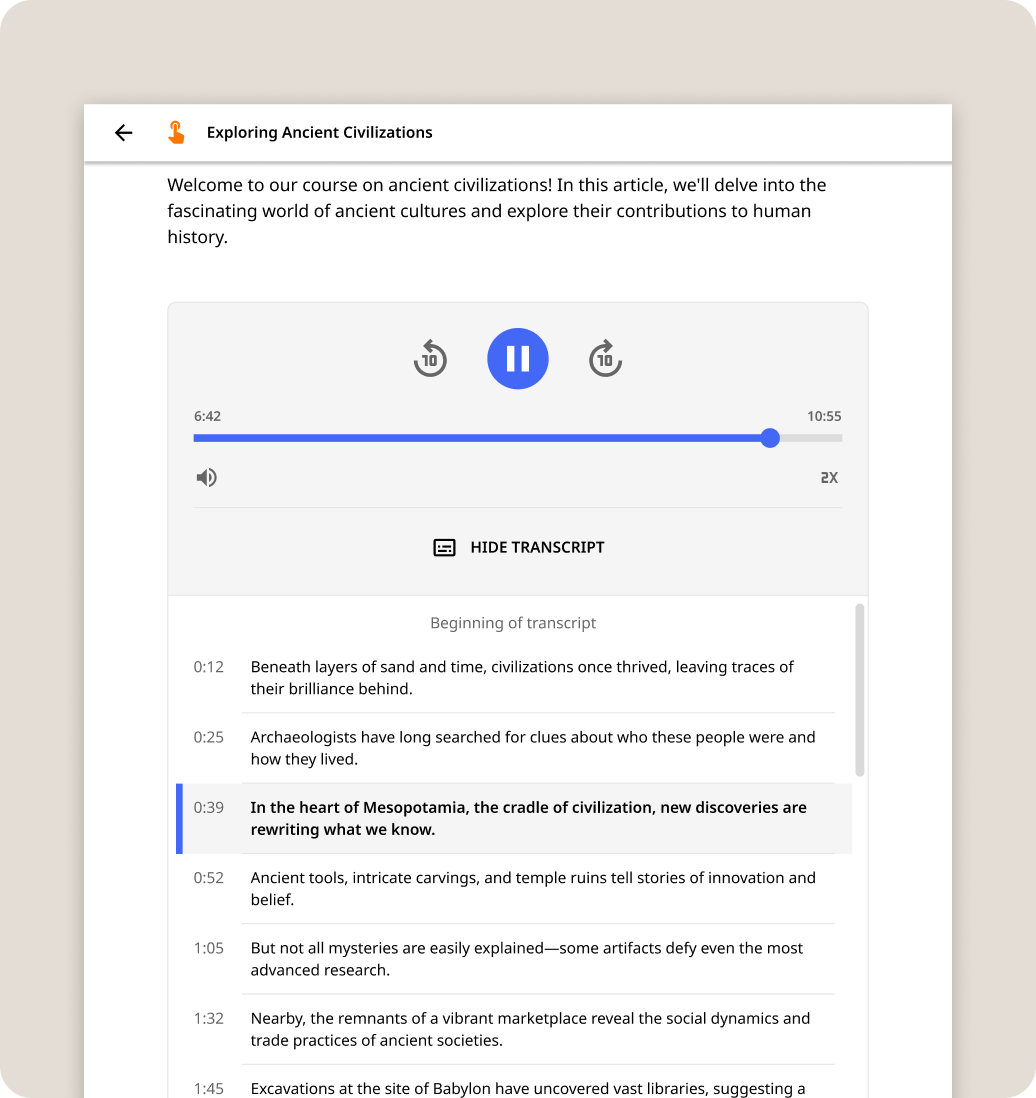
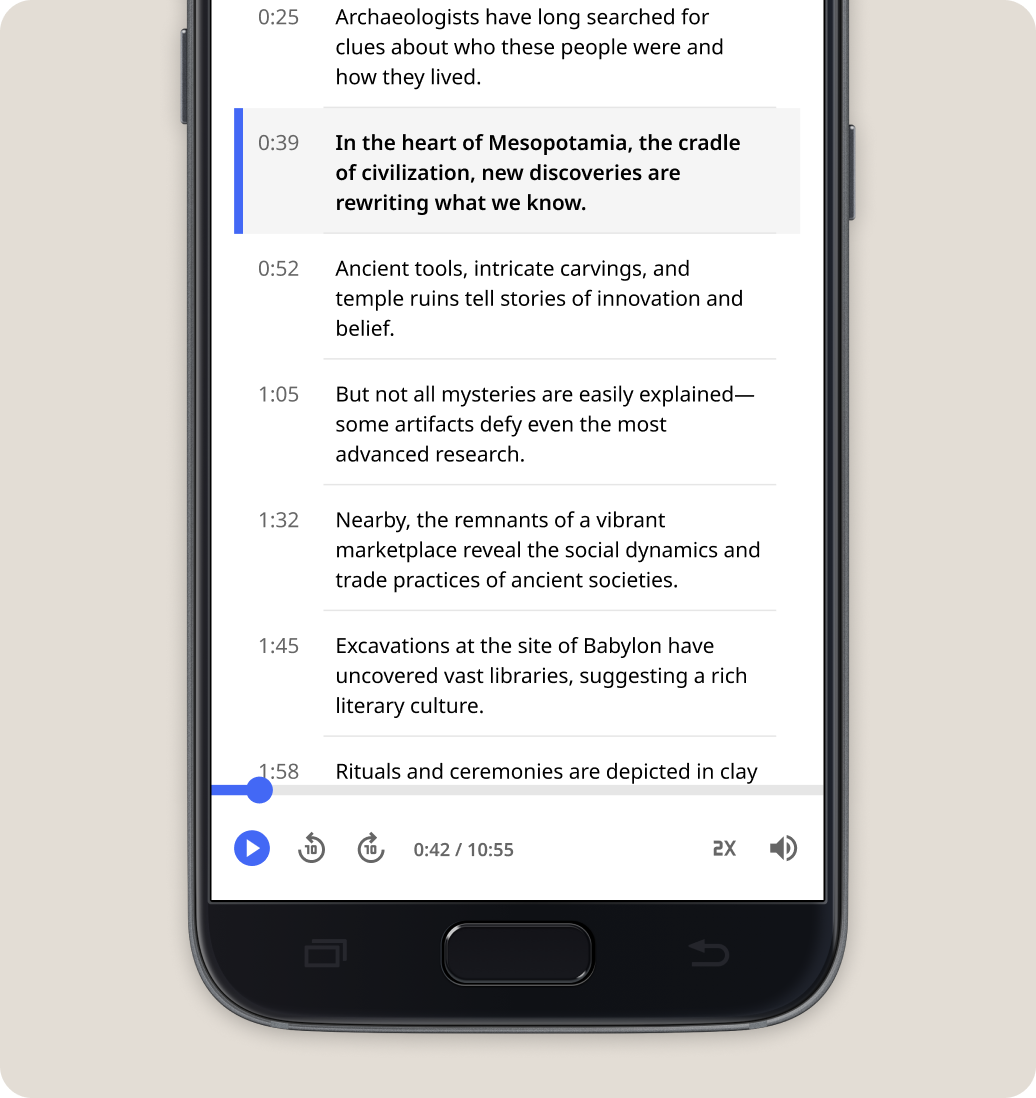
Audio: transcript and language selection, mobile friendly controls display that is fixed on scroll
The inability to responsively customize and localize materials prevents educators from fully integrating Kolibri into their teaching. These limits on autonomy are due to curriculum misalignment, lack of contextual relevance in learning resources, and reliance on program administrators and external staff for content/channel updates due to limited internet access.
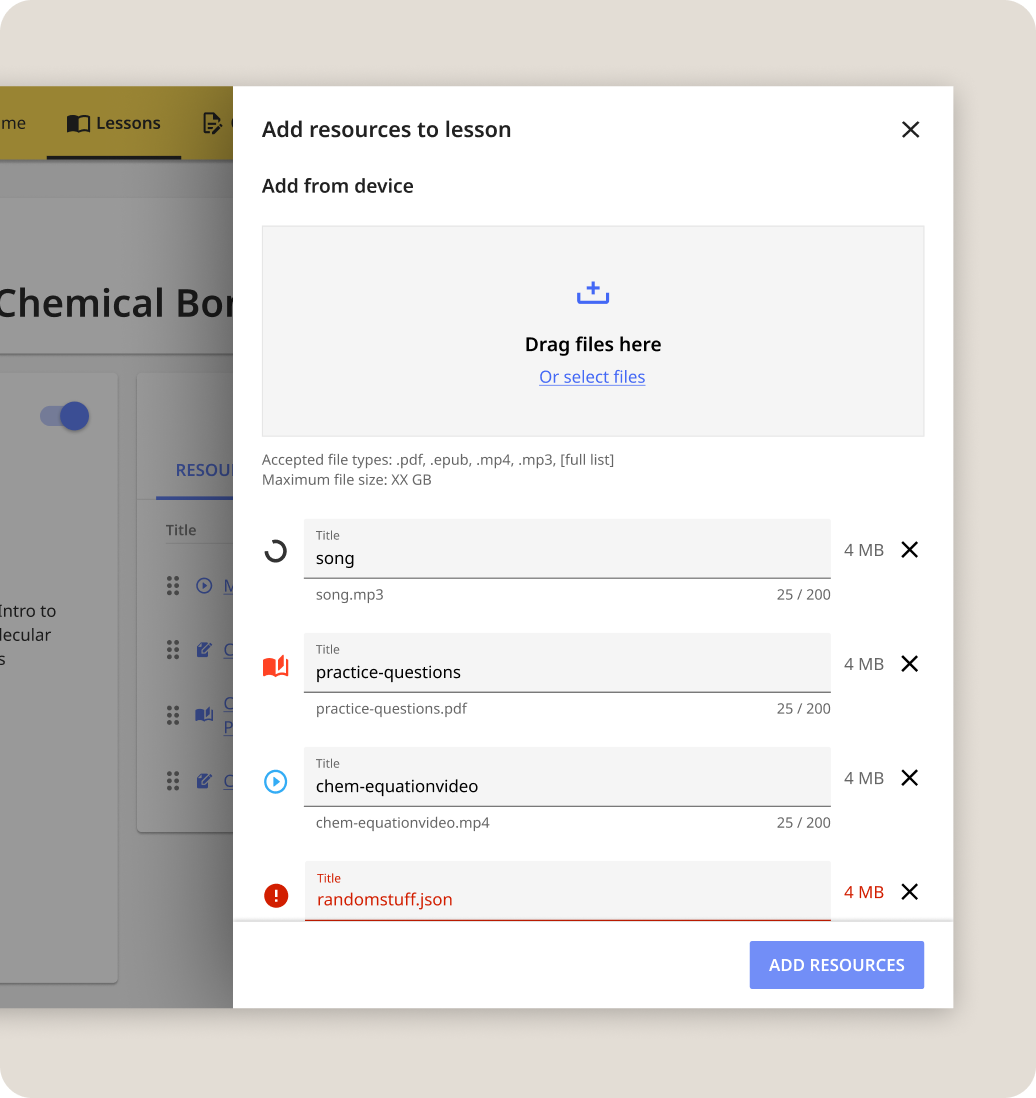
Add custom files to lessons
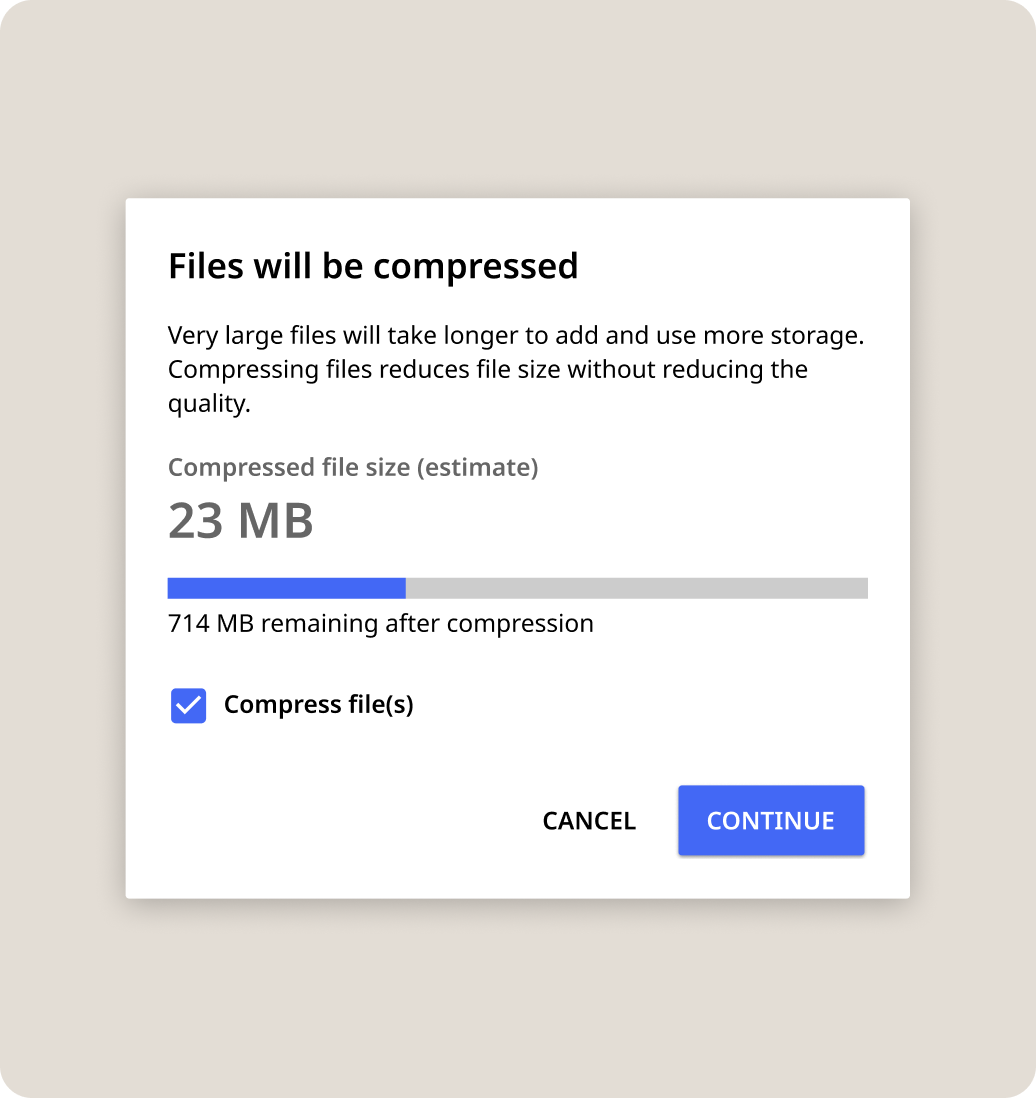
File compression for large files and limited storage space on devices
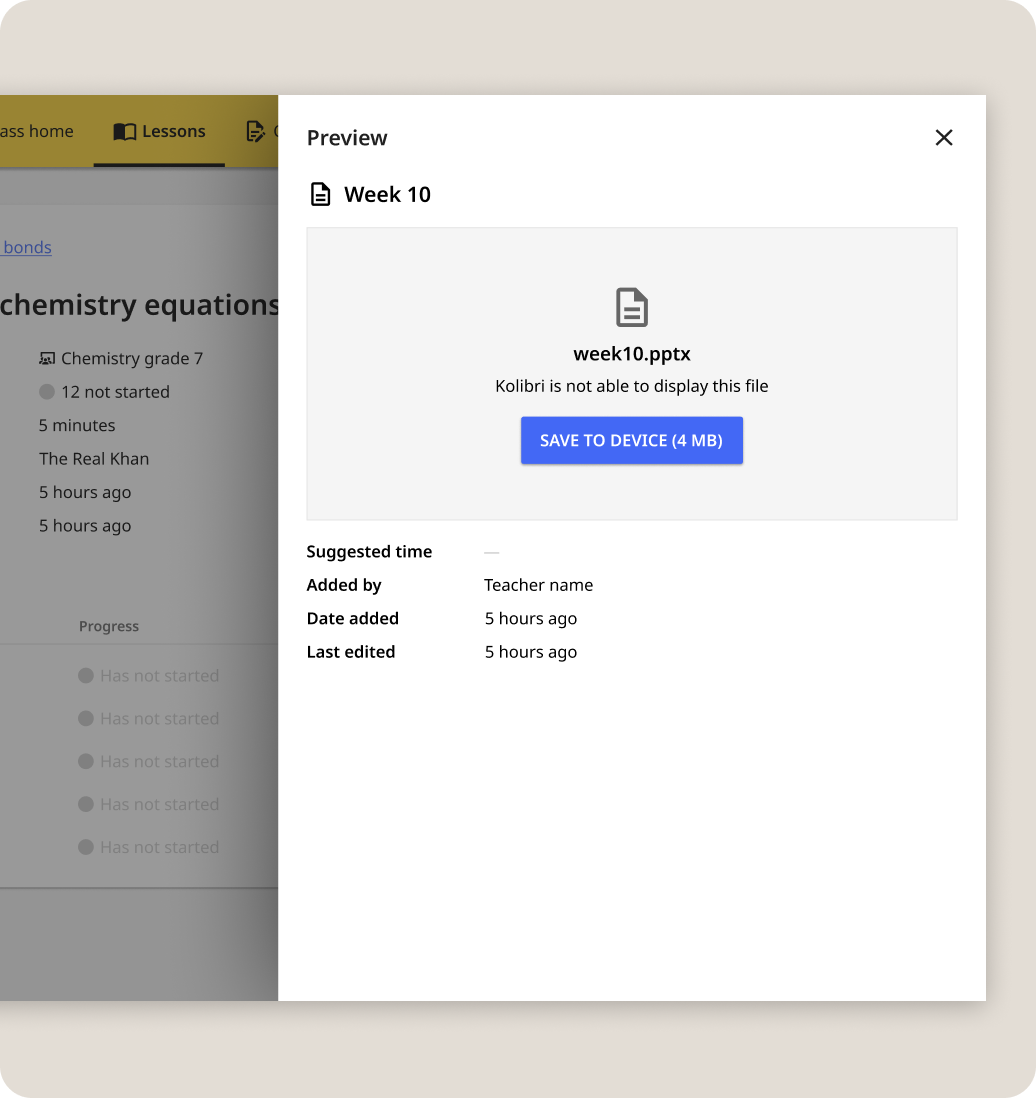
Teachers want to share many different file formats - support the addition of file sharing even if they can’t share it
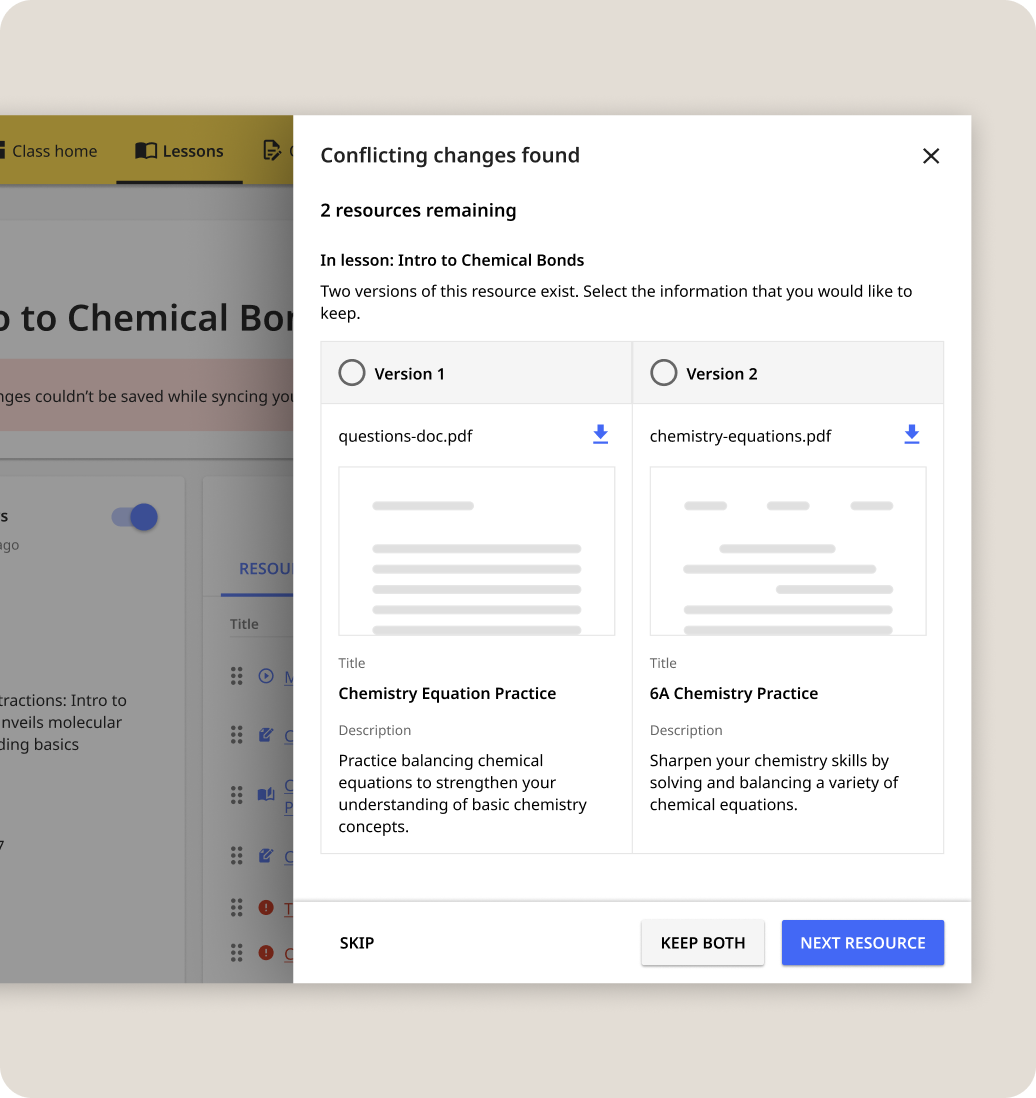
Resolving collision error cases for syncing content across distributed offline networks
Free response questions empower teachers to assess students’ critical thinking through open-ended questions and feedback. It enables open-ended questions, essays, and standardized grading & feedback.
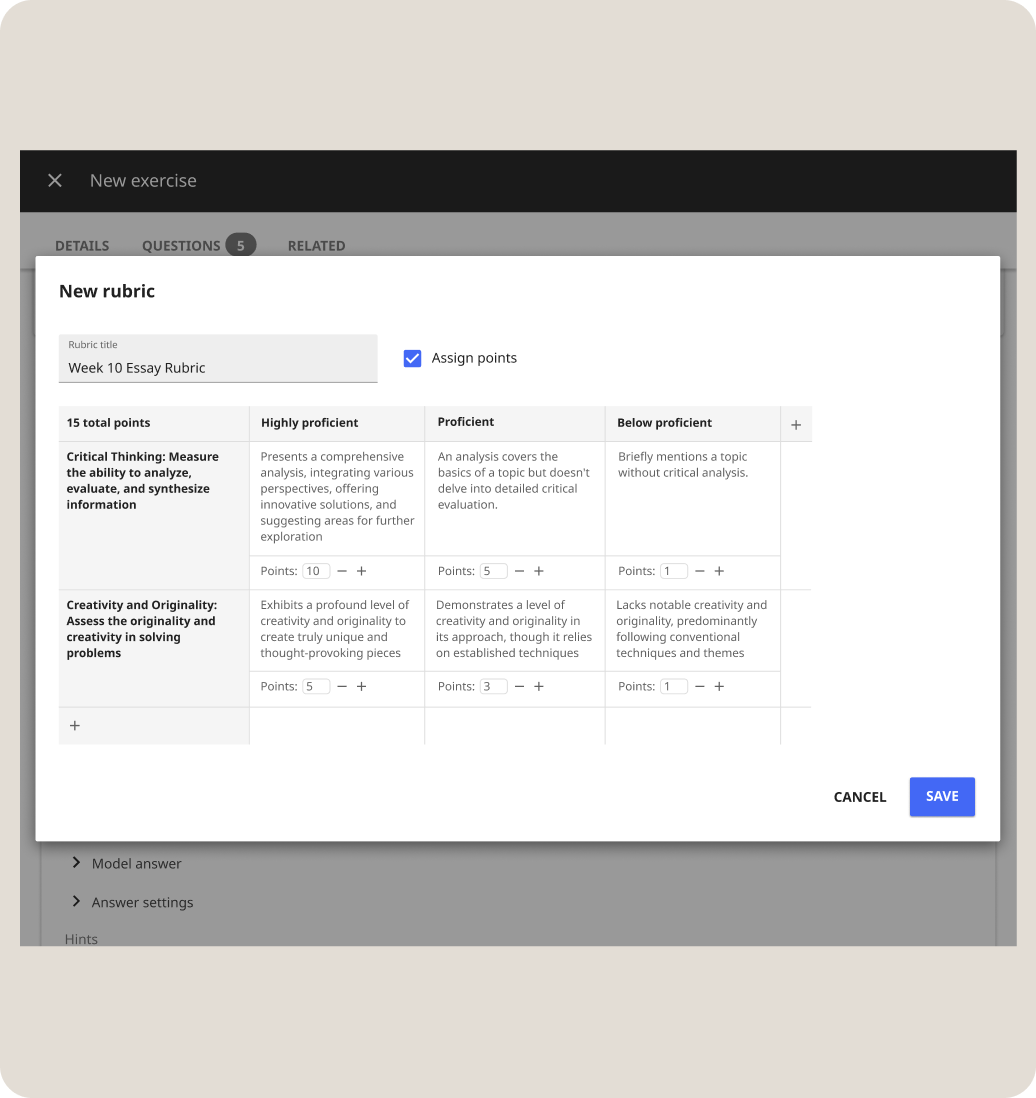
Rubric creator - define qualitative meaning to scores, assign points. Grading flexibility: rubric table, criteria list, no rubric (feedback box)

Grading with rubric - seamless viewing and assigning of rubric score. Ability to view reports and grading progress status
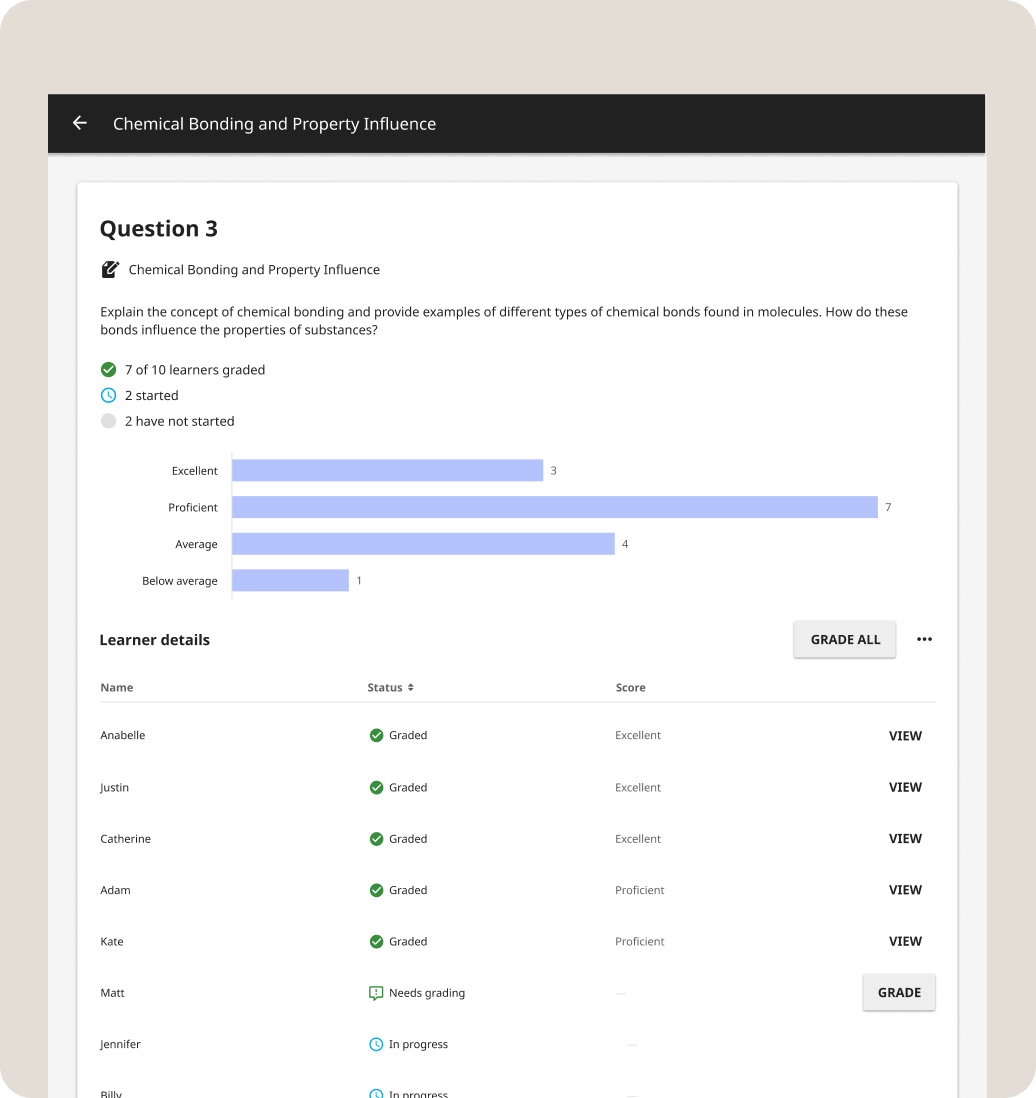
Reports - view trends and patterns from the defined rubric and feedback, with the ability to drill down into specific details
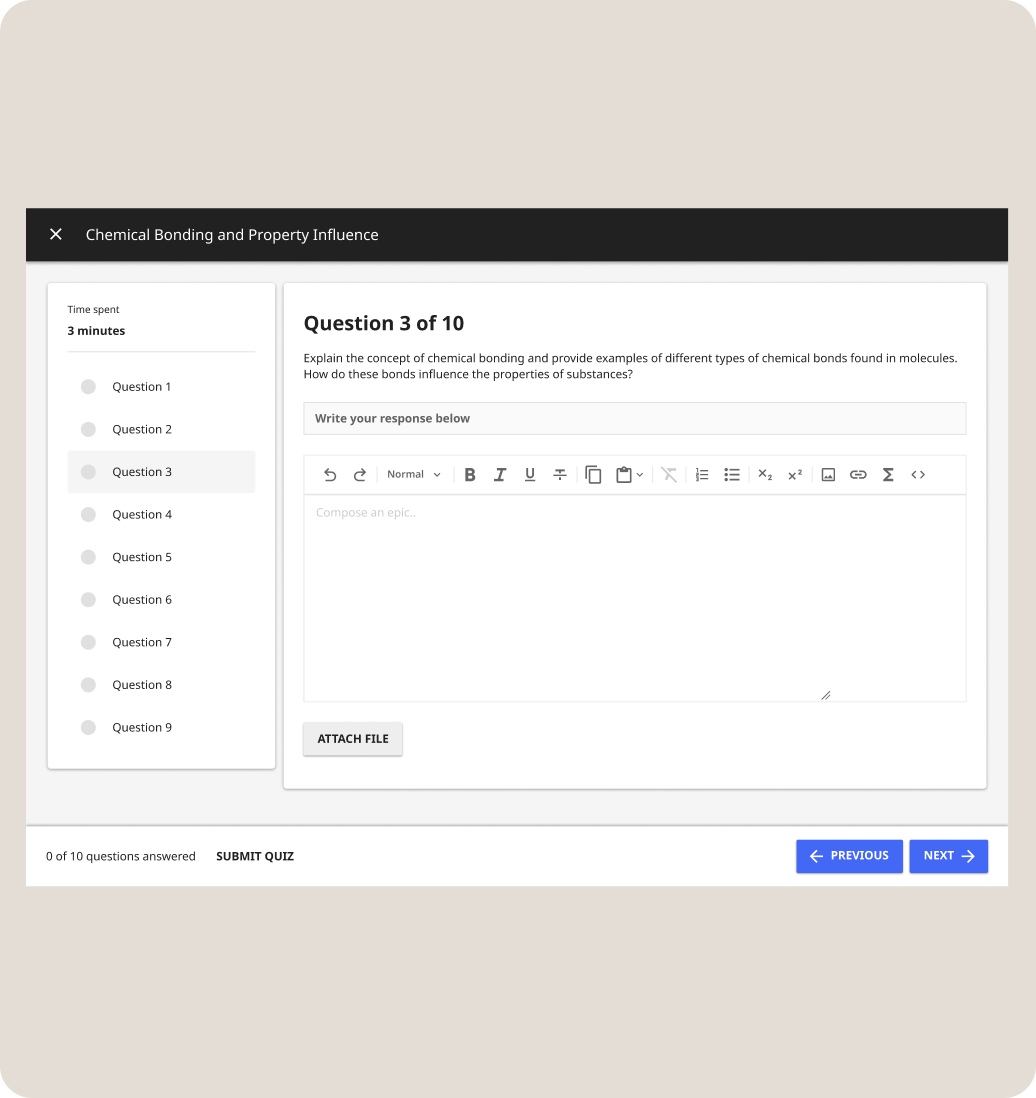
Learner - can enter answer with rich text editor, ability to save as draft
My design colleague launched the first two projects that were informed by this roadmap.
Sets foundations for interactive question editing while meeting urgent and much-requested needs
Courses connect learning objectives and learning materials together in a sequence, allowing for structure and continuity that teachers felt were missing
Working at a nonprofit that centers equity introduces an interesting contrast to the tech industry’s ethos of “move fast and break things.” For this ambitious, large scope project, I intentionally emphasized a careful scoping process to identify the right problems. This process set us up for long-term success and shared confidence that our approach directly responds to the needs of our user community.
This project stretched my skills in terms of design craft and as a facilitator, strategist, and collaborator. I facilitated product-level decision-making through the use of rubrics and heuristics. Defining the principles that we would make a stand on forced me to look at both the details and the big picture, and this became a more intuitive skill that I’ve carried through to other projects past this one.
Working on offline-first products presents the unique challenge of not being able to access usage data. ["While direct telemetry is often limited in offline-first environments, I established a framework to measure success through three key lenses: Feature Adoption (monitoring the volume of local resources uploaded per lesson), Instructional Efficiency (tracking the time-to-completion for grading free-response submissions), and Qualitative Feedback (leveraging field partner interviews to validate if the new tools reduced the 'prescriptive' burden on teachers)."]